
Golf course shift coverage and sub requests
Let workers request coverage and eligible available coworkers claim the shift, without a manager’s phone tree.
A last-minute absence should create a clear coverage request, not a new afternoon of calls. CartJockeys connects the request to the shift and the available coworkers in that department.
Request a course demo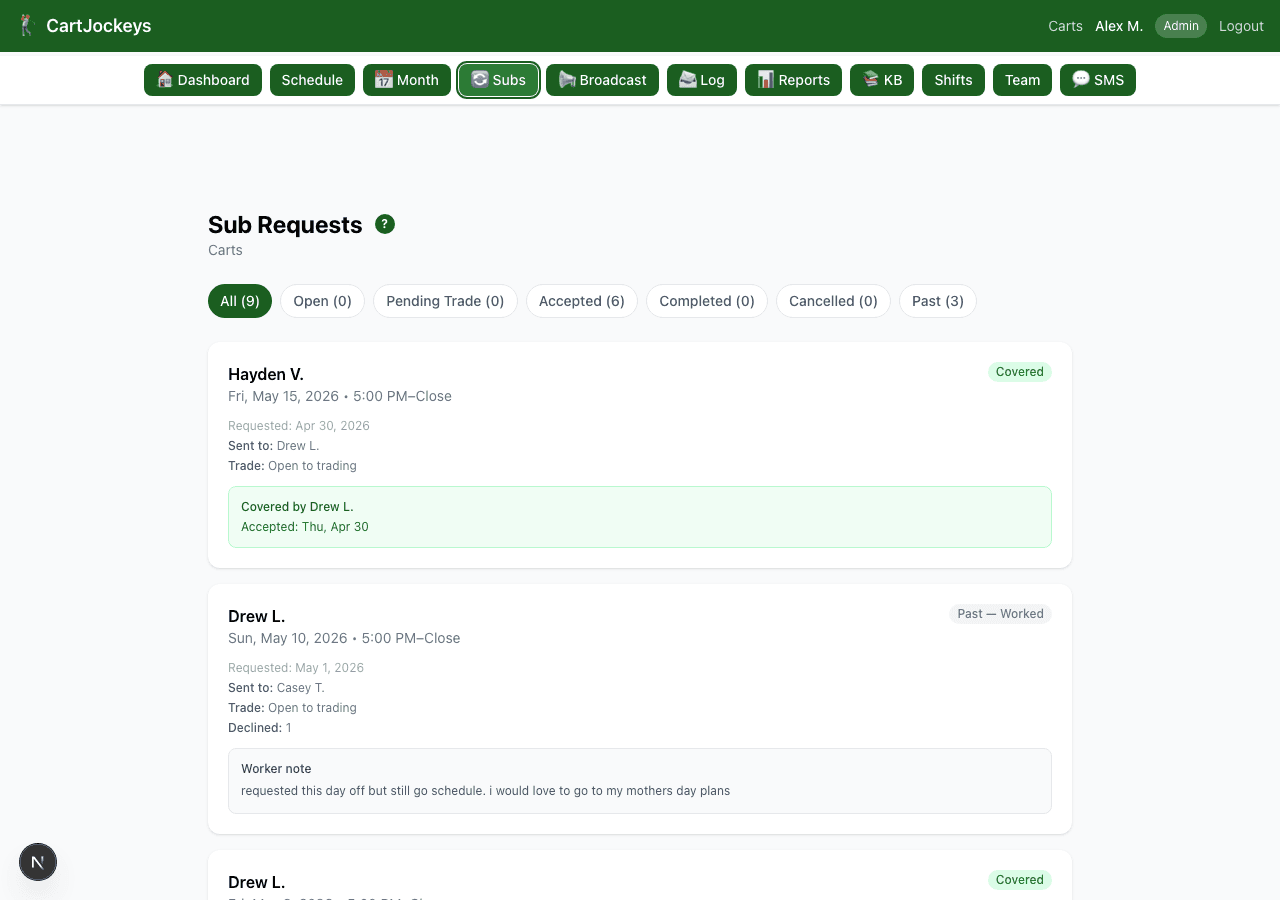
How the workflow fits together
Step 1
Request a substitute
The worker identifies the shift they cannot work and requests coverage from their mobile workflow.
Step 2
Notify the right coworkers
Coverage requests go to available coworkers in the department instead of the whole course roster.
Step 3
Claim and update
The first coworker to claim the available shift gets it, and the schedule updates. Supervisors can review coverage activity in the system.
Questions course managers ask
Does this guarantee every shift is covered?
No. Coverage still depends on available coworkers accepting the shift. Supervisors should review outstanding requests and make a plan for gaps.
What about text messages?
Work-related text notifications require worker opt-in. Workers must review and accept the SMS terms; message and data rates may apply.
How should a course set its process?
Define when a worker should request coverage, who reviews uncovered shifts, and when the supervisor needs to intervene. Discuss those expectations during your demo.
Try the process before changing your tools
Start with an editable worksheet, read the practical guide, or bring your course’s questions to a walkthrough.